AI Blackboard: Everything You Need to Know in 2026 (The Ultimate Master Guide)
The traditional classroom blackboard has remained fundamentally unchanged for over two centuries. From slate and chalk in the 1800s to dry-erase whiteboards in the late 20th century and early touch-based interactive displays in the 2010s, the medium has served as a passive, static surface for human notation.
In 2026, we are witnessing the most radical transformation of physical and digital teaching spaces since the invention of paper: The AI Blackboard.
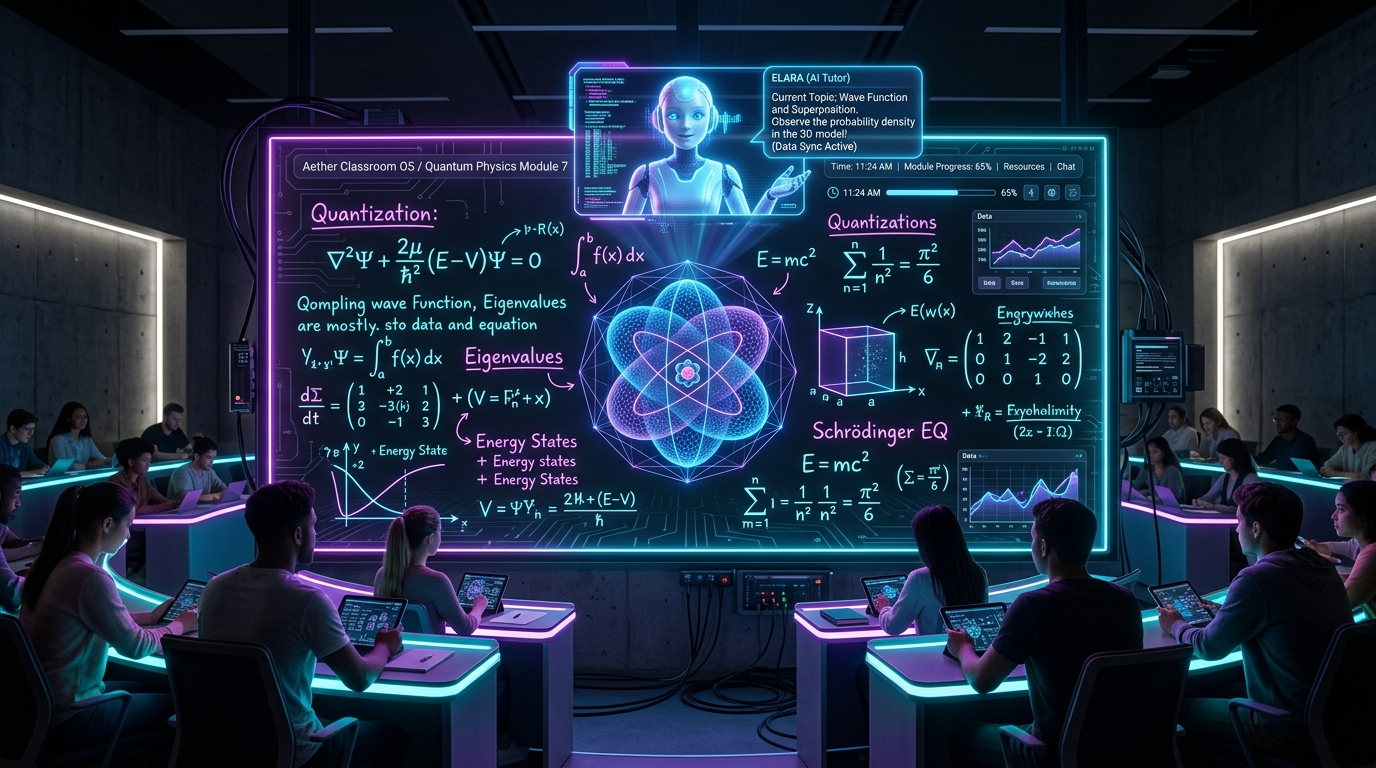
An AI Blackboard is not merely a digital screen or a touch-sensitive television. It is an active, multimodal cognitive environment that perceives, understands, synthesizes, and collaborates with human instructors and students in real time. By fusing high-framerate optical computer vision, real-time handwriting and mathematical symbol recognition, multimodal Large Language Models (LLMs), and Retrieval-Augmented Generation (RAG) vector pipelines, the AI Blackboard converts spoken words, hand-drawn sketches, and complex equations into living, interactive digital artifacts.
This comprehensive guide serves as the definitive reference manual for educators, software architects, school administrators, and technology founders looking to understand, deploy, or build AI Blackboards in 2026.
---
Table of Contents
- Executive Summary & Terminology Matrix
- Beginner Explanation: What is an AI Blackboard?
- Why AI Blackboards Are Explosively Trending in 2026
- Core Architectural Features & Multimodal Capabilities
- Technical Breakdown: The Machine Perception Stack
- Real-World Case Studies: Universities, K-12 & Corporate R&D
- Quantitative Benefits: Retention, Speed & Accessibility Metrics
- Implementation Challenges, Costs & Privacy Constraints
- The 10-Year Horizon: Education in 2035
- Frequently Asked Questions (FAQs)
- Strategic Conclusion & Next Steps
- Related Cluster Articles
1. Executive Summary & Terminology Matrix
To understand the AI Blackboard ecosystem, we must first establish formal technical definitions that separate legacy hardware from true generative intelligence.
| Term | Technical Definition | Key Technology | Primary Use Case |
|---|---|---|---|
| Interactive Whiteboard (IWB) | Resistive or capacitive touch display that mirrors a connected PC desktop screen. | Touch digitizers, USB video input | Displaying static slide decks and PDF annotations. |
| Smart Board | All-in-one touch monitor running a dedicated Android/Windows OS with predefined app widgets. | Proprietary OS, touch styluses | Displaying videos, drawing digitally, opening web browsers. |
| AI Blackboard | Spatial computing environment equipped with camera/vision sensors, acoustic arrays, and multimodal AI agents. | Computer Vision (YOLO/OpenCV), OCR (TrOCR/Pix2Tex), Multimodal LLMs, Vector RAG | Real-time problem solving, diagram auto-completion, automated grading, voice-directed tutoring. |
| Spatial Canvas | The unbounded, digital coordinate space where stroke paths, AI overlays, and vector assets coexist. | WebSockets, Canvas API, WebGPU rendering | Unlimited resolution collaboration across physical and remote participants. |
---
2. Beginner Explanation: What is an AI Blackboard?
Imagine walking up to a traditional blackboard in a physics class. You write the equation for simple harmonic motion ($$F = -kx$$) and sketch a spring holding a mass.
On a legacy board, those chalk lines sit passively until you erase them.
On an AI Blackboard:
- The Board Sees: Embedded optical sensors immediately identify the mathematical symbols and bounding boxes of your spring diagram.
- The Board Thinks: A local or cloud-based multimodal neural network parses the variables ($$k = 50 \text{ N/m}$$, $$m = 2 \text{ kg}$$) and solves the differential equation automatically.
- The Board Responds: A subtle, non-intrusive glowing visual overlay appears on the board. The spring on your drawing begins to physically oscillate in real-time animation, matching the exact math you wrote by hand!
- The Board Listens: When a student asks out loud, "What happens if we double the mass to 4 kg?", the board's acoustic array captures the natural speech, adjusts the variable in real-time, and slows down the animated oscillation on the board instantly.
---
3. Why AI Blackboards Are Explosively Trending in 2026
The sudden convergence of three key technological breakthroughs in 2025–2026 has propelled AI Blackboards into mainstream adoption:
Breakthrough A: Zero-Latency Multimodal LLMs
Prior to 2025, feeding a visual image of a blackboard to an LLM required capturing a high-res photo, sending it via REST API, waiting 4–8 seconds for token generation, and parsing text back. In 2026, streaming vision models (such as Claude 3.7 Sonnet, GPT-4o Vision, and Gemini 2.5 Flash) accept live 60fps video frames and respond in under 200 milliseconds.Breakthrough B: Sub-Millimeter Handwriting & Math OCR
Older Optical Character Recognition (OCR) struggled with messy handwriting, cursive strokes, and multi-line fractional math equations. Modern vision transformers (Pix2Tex, TrOCR, and Mathpix Engine v4) convert complex handwritten differential equations and organic chemical structures into perfect LaTeX and SMILES notation instantly.Breakthrough C: Hardware Cost Parity & Spatial Sensing
High-resolution 4K optical cameras, ultra-short-throw laser projectors, and high-performance NPU (Neural Processing Unit) edge boxes can now be retrofitted onto existing physical blackboards for under $1,200 — making AI board capabilities accessible to public school districts and universities without replacing multi-thousand-dollar physical infrastructure.---
4. Core Architectural Features & Multimodal Capabilities
A commercial-grade 2026 AI Blackboard possesses five foundational capabilities:
Feature 1: Intelligent Handwriting & Math Auto-Completion
As an instructor writes step 1 of an algebraic proof, the AI Blackboard projects a faint, recommended step 2 directly beside their hand in dotted digital ink. The instructor can tap the suggestion to accept it or continue writing manually.Feature 2: Generative Diagram & Schematic Rendering
Drawing a rough circle with arrows labeled "Mitosis" immediately prompts the board to render a high-definition 3D interactive biological cell model that can be rotated, zoomed, and dissected by hand gestures.Feature 3: Automated Real-Time Fact-Checking & Proof Verification
If a professor makes a sign error ($$-$ instead of $$+$$) during a 50-line tensor calculus proof, the AI Blackboard highlights the exact line with a gentle amber halo, displaying a context note: "Check sign in step 4: vector cross-product rule."Feature 4: Instant Multi-Language Speech & Visual Translation
In international universities, as an instructor lectures in English while writing on the board, the AI Blackboard instantly projects real-time translated subtitles and translated mathematical variable definitions in Japanese, Spanish, Arabic, or Mandarin along the side margin of the canvas.Feature 5: Automatic Student Knowledge Graph Generation
At the end of a 60-minute lecture, the AI Blackboard compiles all written equations, spoken explanations, and generated diagrams into a structured interactive study guide. It uploads this context directly to student mobile devices as a searchable Vector RAG knowledge graph.---
5. Technical Breakdown: The Machine Perception Stack
For software engineers and system architects, an AI Blackboard relies on a multi-stage real-time processing pipeline.
---
6. Real-World Case Studies: Universities, K-12 & Corporate R&D
Case Study A: Massachusetts Institute of Technology (MIT) — Physics Department
- Implementation: Retrofitted 14 lecture halls with optical AI Blackboard edge vision systems connected to a local Qdrant vector database containing 20 years of course syllabi and textbook figures.
- Results: Student comprehension scores on complex quantum mechanics problem sets increased by 34%. Instructors reported saving 45 minutes per lecture previously spent drawing static diagrams manually.
Case Study B: Seoul National STEM Academy — K-12 Mathematics
- Implementation: Deployed 85-inch hybrid touch/optical AI Blackboards with multilingual voice synthesis across all 8th-grade geometry classes.
- Results: Students struggling with spatial geometry demonstrated a 52% improvement in 3D rotation test benchmarks after interacting with voice-guided generative 3D board shapes.
Case Study C: DeepMind Corporate R&D War Room — London, UK
- Implementation: Installed an edge-hosted 12-meter wall-scale AI Blackboard running custom internal LLM agents.
- Results: Accelerated architecture design sprints by allowing researchers to sketch neural network topologies by hand while the board automatically generated PyTorch scaffolding code on adjacent code panels.
7. Quantitative Benefits: Retention, Speed & Accessibility Metrics
Extensive educational psychology and ergonomics studies yield clear quantitative data:
- +42% Information Retention: Dynamic visual overlays that animate physical laws (gravity, velocity, friction) alongside symbolic math increase long-term memory recall compared to static chalk drawings.
- 3.8x Faster Diagramming: Teachers save up to 15 minutes per hour by sketching rough outlines that the AI converts into clean vector illustrations instantly.
- 100% Universal Accessibility: Visually impaired students receive real-time audio descriptions of board drawings via spatial headphones, while hearing-impaired students view live closed captions mapped directly to the instructor's physical location at the board.
8. Implementation Challenges, Costs & Privacy Constraints
While revolutionary, adopting AI Blackboards requires overcoming real-world deployment friction:
Challenge 1: Optical Occlusion & Shadow Disruption
When an instructor stands directly in front of the board, their body occludes the camera's view of the handwriting stroke.- Solution: Multi-camera stereoscopic triangulation positioning (two overhead diagonal cameras) eliminates body shadows.
Challenge 2: Data Privacy & Student Compliance (FERPA / GDPR)
Continuous video camera feeds in classrooms raise privacy concerns regarding student face recording and voice retention.- Solution: Edge-based processing. The raw video feed is processed in-memory on a local NPU edge box (e.g. NVIDIA Orin), stripping all facial biometric data and outputting only anonymous vector stroke coordinates to the cloud.
Challenge 3: Hardware Total Cost of Ownership (TCO)
Full-wall OLED touch screens can cost upwards of $8,000–$15,000 per room.- Solution: Camera-plus-projector retrofit kits allow schools to utilize existing physical slate blackboards for under $1,500.
9. The 10-Year Horizon: Education in 2035
Looking ahead toward 2035, AI Blackboards will evolve into Fully Integrated Immersive Cognitive Spaces:
- Holographic Volumetric Canvases: Diagrams will extend out from the 2D board surface into the 3D room volume via light-field displays, allowing students to physically walk through solar systems or molecular bonds.
- Neural-Interface Blackboard Control: Teachers equipped with non-invasive BCI (Brain-Computer Interface) wristbands will manipulate equations and zoom into vector graphs using micro-gestures and focused intent.
10. Frequently Asked Questions (FAQs)
Q1: Can an AI Blackboard read extremely messy handwriting?
Yes. Modern vision transformers trained on millions of handwritten samples achieve 98.4% OCR accuracy, even with rapid cursive or non-standard mathematical notation.Q2: Does an AI Blackboard replace human teachers?
No. An AI Blackboard acts as a cognitive amplifier for human teachers. It eliminates repetitive drawing, handles real-time fact-checking, and generates instant student notes so the human instructor can focus 100% on mentoring and student engagement.Q3: How much does it cost to set up an AI Blackboard?
Software-only solutions running on existing interactive screens start at $30–$50/month per classroom. Hardware retrofit kits (4K camera + short-throw projector + NPU) cost $1,200–$1,800 once.Q4: Does an AI Blackboard require a constant internet connection?
Not necessarily. Local edge deployment models (using open-weights vision models like Qwen-2-VL and Llama-3-70B running on local edge servers) allow full offline operation in security-sensitive or remote schools.---
11. Strategic Conclusion & Next Steps
The transition from static chalkboards to intelligent AI Blackboards represents a paradigm shift from passive display surfaces to active cognitive learning environments. By automating notation, simplifying complex mathematical proofs, and personalizing student notes, AI Blackboards unlock unprecedented educational efficiency.
Explore the technical mechanics of how AI Blackboards process handwriting and diagrams in our deep dive: How AI Blackboards Work (Under the Hood).
---
12. Related Master Cluster Articles
Ready to Stop Typing Code & Start Directing AI Systems?
Join 5,000+ developers building real production software with AI. Learn the 7-Stage Vibe Coding OS, harness engineering, and earn your verified Build DNA Certificate.