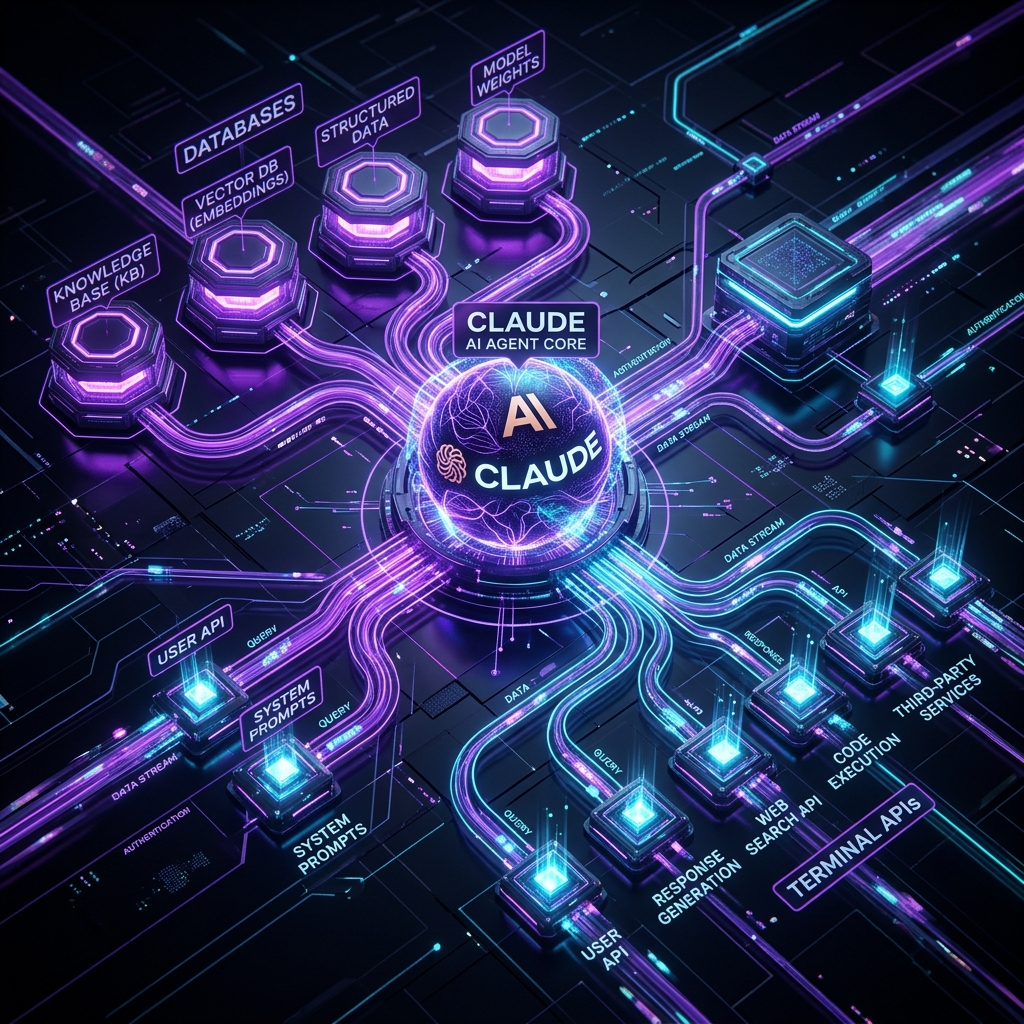
Claude Opus 5 & Model Context Protocol (MCP): Building Enterprise Multi-Agent Systems
Author: Olamide Emmanuel Stephen | Published: July 25, 2026 | Reading Time: 24 minutes
Canonical Reference: Vibe Coding Codex | Specification: Model Context Protocol (MCP) Architecture
As frontier artificial intelligence models like Claude Opus 5 and Claude 3.7 Sonnet evolve into autonomous software engineering agents, a fundamental infrastructure challenge has emerged for enterprise engineering leaders:
How does an AI agent securely query a production PostgreSQL database, inspect Figma design tokens, trigger a GitHub CI/CD pipeline, or pull logs from AWS CloudWatch without building bespoke, fragile API integrations for every tool in the stack?
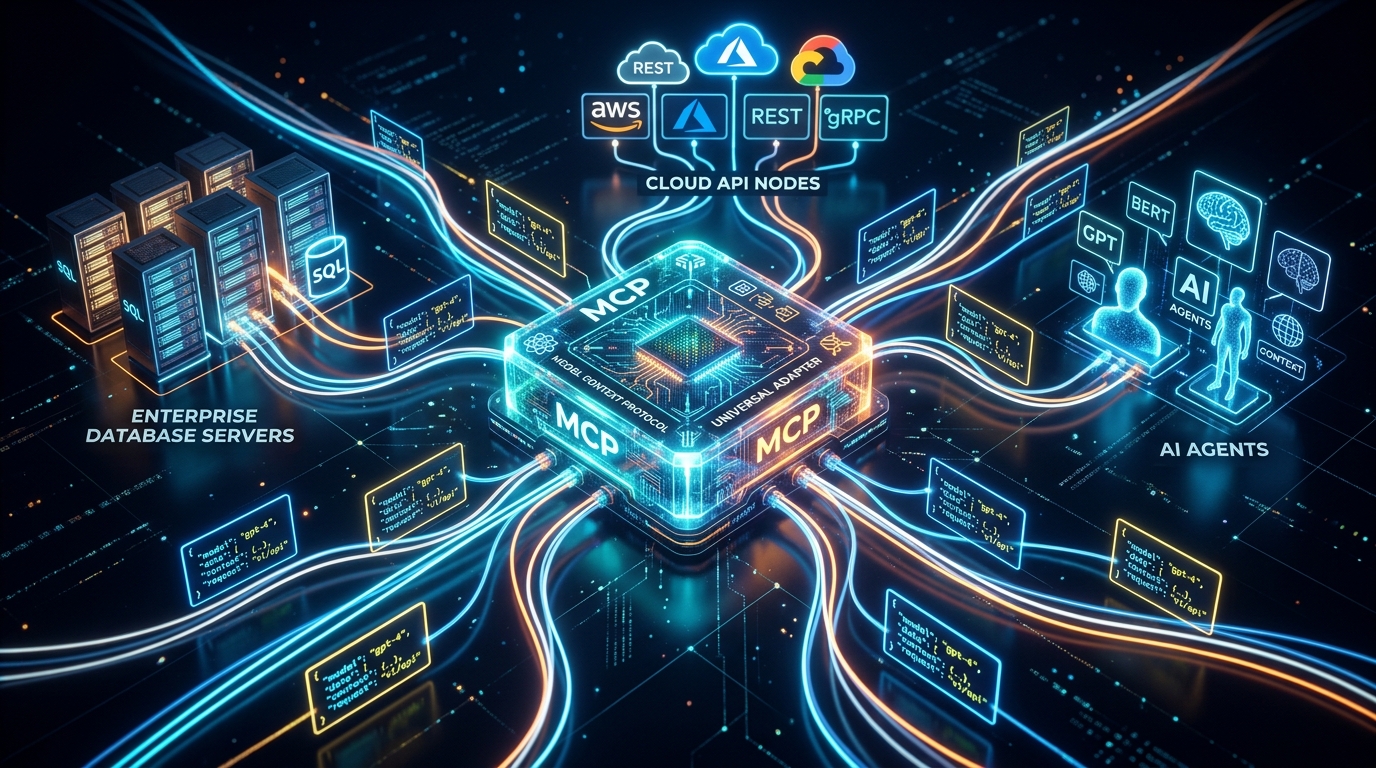
In late 2024, Anthropic created the open-source solution: Model Context Protocol (MCP). Host-maintained at modelcontextprotocol/servers, MCP is the open standard that functions as a universal USB-C port for artificial intelligence.
Instead of writing custom API wrappers for every IDE extension or terminal agent, MCP provides a standardized JSON-RPC 2.0 architecture exposing three primary primitives: Tools (executable side-effects), Resources (read-only context streams), and Prompts (domain-specific execution templates).
This definitive architectural guide provides enterprise architects, lead engineers, and CTOs with the complete technical manual for integrating Claude Opus 5 with Model Context Protocol. We dissect the MCP topology, build a production custom TypeScript MCP server from scratch, configure security permission scoping, and orchestrate an enterprise multi-agent workgroup.
---
1. Executive Summary & The MCP Primitives Matrix
Before building MCP servers or configuring API gateways, let's establish the core architectural components of the Model Context Protocol:
| MCP Primitive / Layer | Protocol Definition | Operational Responsibility | Example Real-World Implementations |
|---|---|---|---|
| MCP Host | User-Facing AI Application | Negotiates protocol capability & exposes UI. | Claude Code CLI, Cursor IDE, Antigravity, VS Code. |
| MCP Client | Internal Protocol Manager | Manages JSON-RPC connection lifecycle over stdio or HTTP/SSE. | Internal client module inside Claude Code host. |
| MCP Server | Lightweight Background Service | Exposes Tools, Resources, and Prompts to the agent. | Custom TypeScript server, PostgreSQL MCP server. |
| Primitive: Tools | Executable System Actions | Allows agent to mutate external state safely. | query_database(), create_github_issue(). |
| Primitive: Resources | Read-Only Context Streams | Exposes virtual filesystems & logs to the agent. | postgres://db/schema.sql, figma://tokens.json. |
| Primitive: Prompts | Reusable Workflow Templates | Domain templates pre-configured by team leads. | audit_security_vulnerabilities(). |
---
2. The Enterprise Problem: Why Bespoke Integrations Fail
Prior to the adoption of Model Context Protocol, connecting AI tools to enterprise infrastructure was a chaotic engineering nightmare:
The N x M Complexity Trap:
If an enterprise team used 4 AI tools (Claude Code CLI, Cursor, Windsurf, Internal Slack Bot) and needed access to 6 enterprise systems (Postgres, Figma, GitHub, Jira, AWS, Datadog), the team had to build and maintain 24 separate integration scripts.
The MCP Standardized Architecture:
Model Context Protocol collapses thisN x M nightmare into an N + M ecosystem:
By deploying a single PostgreSQL MCP Server, every MCP-compliant AI application instantly gains secure, structured query access to the database without custom code!
---
3. Dissecting MCP Topology: Host vs Client vs Server
The MCP architecture operates on a decoupled client-server model over lightweight IPC (Inter-Process Communication) or network sockets:
- Transport Layer (
stdio/ SSE): By default, local MCP servers communicate with the host via standard input/output (stdio). For cloud-hosted servers, MCP supports Server-Sent Events (SSE) over HTTPS. - Capability Negotiation: On initial connection, the host and server exchange handshakes specifying supported protocol features (e.g. tool execution timeouts, progress reporting, notification channels).
4. Step-by-Step Tutorial: Building a Custom TypeScript MCP Server
Let's build a production-ready, custom TypeScript MCP Server that exposes database metrics and user transaction logs to Claude Opus 5.
Step 1: Initialize Project & Dependencies
Create a new Node.js directory and install the official Anthropic MCP SDK:Step 2: Configure tsconfig.json
Step 3: Implement Server Logic (src/index.ts)
```typescript import { Server } from "@modelcontextprotocol/sdk/server/index.js"; import { StdioServerTransport } from "@modelcontextprotocol/sdk/server/stdio.js"; import { CallToolRequestSchema, ListToolsRequestSchema, ListResourcesRequestSchema, ReadResourceRequestSchema, } from "@modelcontextprotocol/sdk/types.js"; import { z } from "zod";
// Initialize Enterprise MCP Server const server = new Server( { name: "vcc-enterprise-mcp", version: "1.0.0",
}, { capabilities: { tools: {}, resources: {}, }, } );
// Define Tool Schema: User Database Query Tool const QueryUserStatsSchema = z.object({ userEmail: z.string().email("Must provide a valid user email address."), includeTransactionHistory: z.boolean().default(false), });
// Step 4: Register Exposed Tools server.setRequestHandler(ListToolsRequestSchema, async () => ({ tools: [ { name: "query_user_account_stats", description: "Query user account status, subscription tier, and transaction logs from the enterprise database.", inputSchema: { type: "object", properties: { userEmail: { type: "string", description: "Target user email address.", }, includeTransactionHistory: { type: "boolean", description: "Whether to fetch historical billing records.", }, }, required: ["userEmail"], }, }, ], }));
// Step 5: Handle Tool Execution server.setRequestHandler(CallToolRequestSchema, async (request) => { const { name, arguments: args } = request.params;
if (name === "query_user_account_stats") { const parsed = QueryUserStatsSchema.parse(args);
// Mock Enterprise Database Query const userData = { email: parsed.userEmail, tier: "pro", status: "active", accountCreated: "2026-01-15T08:30:00Z", transactions: parsed.includeTransactionHistory ? [ { id: "tx_101", amount: 49.0, status: "completed", date: "2026-07-01" }, { id: "tx_102", amount: 49.0, status: "completed", date: "2026-06-01" }, ] : undefined, };
return { content: [ { type: "text", text: JSON.stringify(userData, null, 2), }, ], }; }
throw new Error("Tool '" + name + "' not recognized by MCP server."); });
// Step 6: Expose Read-Only Resources (Database Schema) server.setRequestHandler(ListResourcesRequestSchema, async () => ({ resources: [ { uri: "schema://database/users", name: "User Account Database Schema", mimeType: "application/json", description: "Read-only structural schema for enterprise user documents.", }, ], }));
server.setRequestHandler(ReadResourceRequestSchema, async (request) => { if (request.params.uri === "schema://database/users") { const schemaDef = { tableName: "users", primaryKey: "email", columns: { email: "STRING", tier: "ENUM('free', 'pro', 'enterprise')", status: "STRING", created_at: "TIMESTAMP", }, };
return { contents: [ { uri: request.params.uri, mimeType: "application/json", text: JSON.stringify(schemaDef, null, 2), }, ], }; }
throw new Error("Resource URI not found."); });
// Step 7: Connect Server to Stdio Transport async function main() { const transport = new StdioServerTransport(); await server.connect(transport); console.error("VCC Enterprise MCP Server running on stdio."); }
main().catch((err) => { console.error("Fatal MCP Server Exception:", err); process.exit(1); });
json { "mcpServers": { "enterprise-db": { "command": "node", "args": ["/path/to/enterprise-mcp-server/dist/index.js"], "env": { "DATABASE_URL": "postgresql://admin:secret@localhost:5432/production" } } } } [ Claude Agent Prompt ] ──► [ MCP Permission Gate ] ──► [ User Confirmation Modal ] ──► [ Executed Action ] ``
1. Human-in-the-Loop Approval Gates
By default, MCP hosts require explicit human user confirmation before executing any tool marked with side-effects (e.g. delete_user_account(), trigger_production_deploy()).
2. Read-Only Resource Scoping
To prevent accidental data mutation during exploratory reasoning tasks, expose sensitive data as Read-Only Resources (schema://... or log://...) rather than executable Tools.
3. Cryptographic Audit Trails
Log all incoming JSON-RPC tool calls to an immutable audit file or AWS CloudWatch log group—recording timestamp, agent session ID, input arguments, and execution duration.
---
7. Frequently Asked Questions (FAQs)
Q1: Is Model Context Protocol proprietary to Anthropic?
No. Anthropic released Model Context Protocol under an open-source license (hosted on GitHub at modelcontextprotocol/servers). Major AI developer tools—including Cursor IDE, Windsurf, VS Code extensions, and Open Hands—have adopted MCP as the universal protocol standard.
Q2: What is the performance latency of MCP stdio communication?
Inter-process communication over stdio adds less than 2 milliseconds of latency per tool call—making it virtually imperceptible during agent execution.
Q3: Where can I find pre-built open-source MCP servers?
The official GitHub repository at modelcontextprotocol/servers provides open-source, pre-built servers for:
- PostgreSQL / SQLite: Run safe database schema introspection and queries.
- GitHub / GitLab: Search PRs, commits, and repository issues.
- Slack / Brave Search: Perform web searches and team notifications.
- Puppeteer: Execute headless browser DOM inspection.
---
8. Conclusion & Implementation Checklist
Model Context Protocol is the infrastructure backbone that elevates Claude Opus 5 from a chat widget into a fully connected enterprise software engineering partner.
📋 Enterprise Integration Checklist:
- Identify your core team data sources (PostgreSQL, Figma design tokens, GitHub issues).
- Install pre-built MCP servers from modelcontextprotocol/servers or build custom TypeScript servers using our SDK template above.
- Configure your project
CLAUDE.md` file to register server endpoints for Claude Code CLI and Cursor IDE.
---
Master Model Context Protocol, Claude Opus 5, and Harness Engineering across our 10 Flagship Missions on Vibe Coding Codex.
Ready to Stop Typing Code & Start Directing AI Systems?
Join 5,000+ developers building real production software with AI. Learn the 7-Stage Vibe Coding OS, harness engineering, and earn your verified Build DNA Certificate.