The Complete Guide to Model Context Protocol (MCP): How to Connect Claude Code & Cursor to Any System
As AI coding agents evolve from simple chat widgets into autonomous software engineers, a fundamental challenge has emerged: How does an AI agent securely query a production database, inspect a Figma design file, or trigger a deployment pipeline without bespoke API integrations for every tool?
The answer is Model Context Protocol (MCP) — the open-source protocol created by Anthropic and hosted on GitHub at modelcontextprotocol/servers.
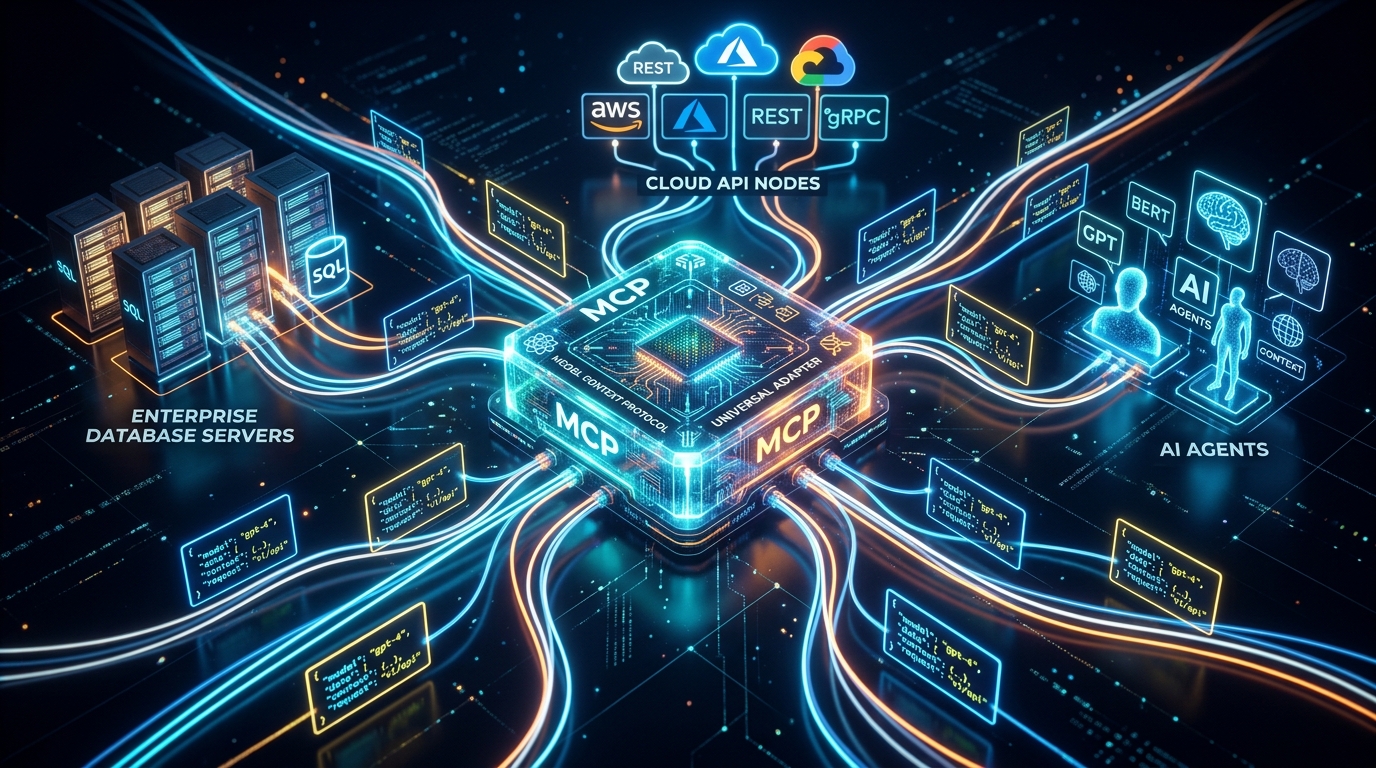
MCP provides a standardized JSON-RPC 2.0 architecture that acts like a universal USB-C port for AI models. It allows agents (Claude Code CLI, Cursor, Antigravity) to discover tools, inspect resources, and read context from any external data source seamlessly.
---
1. Understanding MCP Architecture: Host, Client, and Server
The Model Context Protocol architecture consists of three core components:
- MCP Host: The AI interface user application (e.g. Cursor IDE, Claude Code CLI, or Google Antigravity).
- MCP Client: The internal client module inside the host that negotiates capabilities and protocol versions.
- MCP Server: A lightweight background service (written in TypeScript or Python) that exposes specific Resources, Prompts, and Tools to the AI agent.
2. The Three Core Capabilities of an MCP Server
An MCP server can expose three primary primitives to an AI agent:
Primitive A: Tools (Executable Actions)
Tools allow the AI model to execute side-effects in the external world. Examples:query_database({ sql: "SELECT * FROM users WHERE tenant_id = 'acme'" })create_github_issue({ title: "Fix hydration bug", body: "..." })trigger_deploy({ environment: "staging" })
Primitive B: Resources (Readable Context)
Resources provide read-only file or stream content to the model (like a virtual filesystem). Examples:postgres://database/schema.sqlfigma://file/design-tokens.jsonlog://production/error.log
Primitive C: Prompts (Reusable Templates)
Pre-configured prompt templates exposed by the server to guide the model through complex domain tasks.---
3. Step-by-Step Tutorial: Building a Custom TypeScript MCP Server
Let's build a custom MCP server in TypeScript that exposes a database query tool to Claude Code or Cursor.
Step 1: Install the Official MCP SDK
Step 2: Write server.ts
```typescript
import { Server } from "@modelcontextprotocol/sdk/server/index.js";import { StdioServerTransport } from "@modelcontextprotocol/sdk/server/stdio.js"; import { CallToolRequestSchema, ListToolsRequestSchema } from "@modelcontextprotocol/sdk/types.js"; import { z } from "zod";
// Initialize server const server = new Server( { name: "vcc-database-mcp", version: "1.0.0" }, { capabilities: { tools: {} } } );
// Define tool schema server.setRequestHandler(ListToolsRequestSchema, async () => ({ tools: [ { name: "query_user_stats", description: "Query user count and active subscription metrics from the database.", inputSchema: { type: "object", properties: { metric: { type: "string", description: "Metric type: 'active_users' or 'revenue'" } }, required: ["metric"] } } ] }));
// Handle tool execution server.setRequestHandler(CallToolRequestSchema, async (request) => { if (request.params.name === "query_user_stats") { const { metric } = request.params.arguments as { metric: string }; // Execute database lookup const result = metric === "active_users" ? { count: 4820 } : { revenue: 94200 }; return { content: [{ type: "text", text: JSON.stringify(result, null, 2) }] }; } throw new Error("Tool not found"); });
// Start transport over stdio async function main() { const transport = new StdioServerTransport(); await server.connect(transport); }
main();
json { "mcpServers": { "database-tools": { "command": "node", "args": ["/path/to/server.js"] } } } ``
Configuring Cursor IDE
In Cursor settings (
Settings -> Features -> MCP Servers), add a new MCP server entry with name database-tools and command node /path/to/server.js`.
Now, when you type "Check active user stats in our database" inside Claude Code or Cursor, the AI agent automatically invokes your custom MCP server tool!
---
5. Explore Official MCP Servers on GitHub
The official open-source repository at modelcontextprotocol/servers provides pre-built MCP servers for:
- PostgreSQL & SQLite: Query local and cloud databases safely.
- GitHub & GitLab: Inspect PRs, issues, and commit histories.
- Slack & Brave Search: Search the web and communicate in team channels.
- Puppeteer & Fetch: Web scraping and browser inspection.
Master Model Context Protocol and agentic architecture on Vibe Coding Codex.
Ready to Stop Typing Code & Start Directing AI Systems?
Join 5,000+ developers building real production software with AI. Learn the 7-Stage Vibe Coding OS, harness engineering, and earn your verified Build DNA Certificate.